Stop Searching for Complex Marketing Data. Just Ask with Airbridge AI
Have you ever opened your dashboard to check campaign performance, only to spend five minutes searching for the right report?
Where do you check ROAS again? Which section shows retention? How did you set up that filter last time? These are questions most marketers ask themselves multiple times a day. And the time it takes to answer them adds up fast, anywhere from five to fifteen minutes per session. More time spent pulling data than actually analyzing it.
And that's just the data side. When it comes to onboarding, setting up an MMP means installing an SDK, a process that varies by platform, requires jumping between documentation and your development environment, and often can't move forward without a developer. It's the kind of friction that drains momentum before the real work even begins.
As AI reshapes the way we work, Airbridge has built three features designed to give marketers that time back. Introducing Airbridge AI, including Airbridge MCP, Airbridge Pilot, and Onboarding Pilot.
Airbridge AI Key Features
- Airbridge Pilot — Get instant answers to your Airbridge questions right inside the dashboard
- Onboarding Pilot — Let AI walk you through SDK installation step by step
- Airbridge MCP — Query your Airbridge data in natural language directly from the AI tools you already use
Airbridge Pilot: An AI Agent That Answers Inside Your Dashboard
"No more opening the Help Center every time you have a question. Just ask AI and get your answer on the spot."
Questions come up constantly while you work.
How does this Attribution rule actually work? Where do I configure SKAN settings? Why isn't the deep link open event registering?
Every time you leave the dashboard to find an answer, opening the Help Center, searching, scanning through documentation, you break your workflow. For anyone new to an MMP, the time spent navigating support docs can easily exceed the time spent doing actual work.
Airbridge Pilot eliminates that friction entirely, keeping your workflow intact.
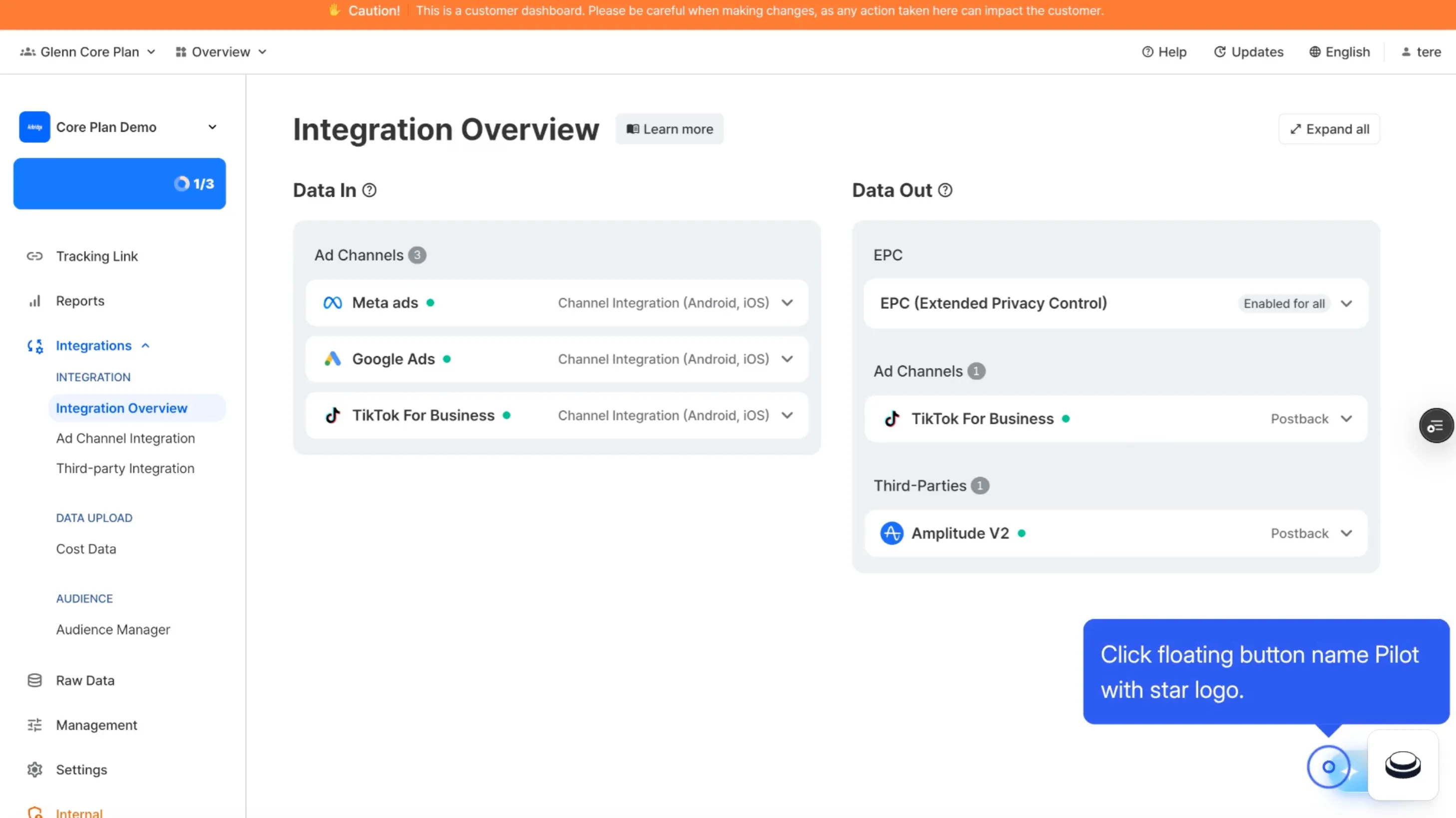 You can use Airbridge Pilot whenever you need
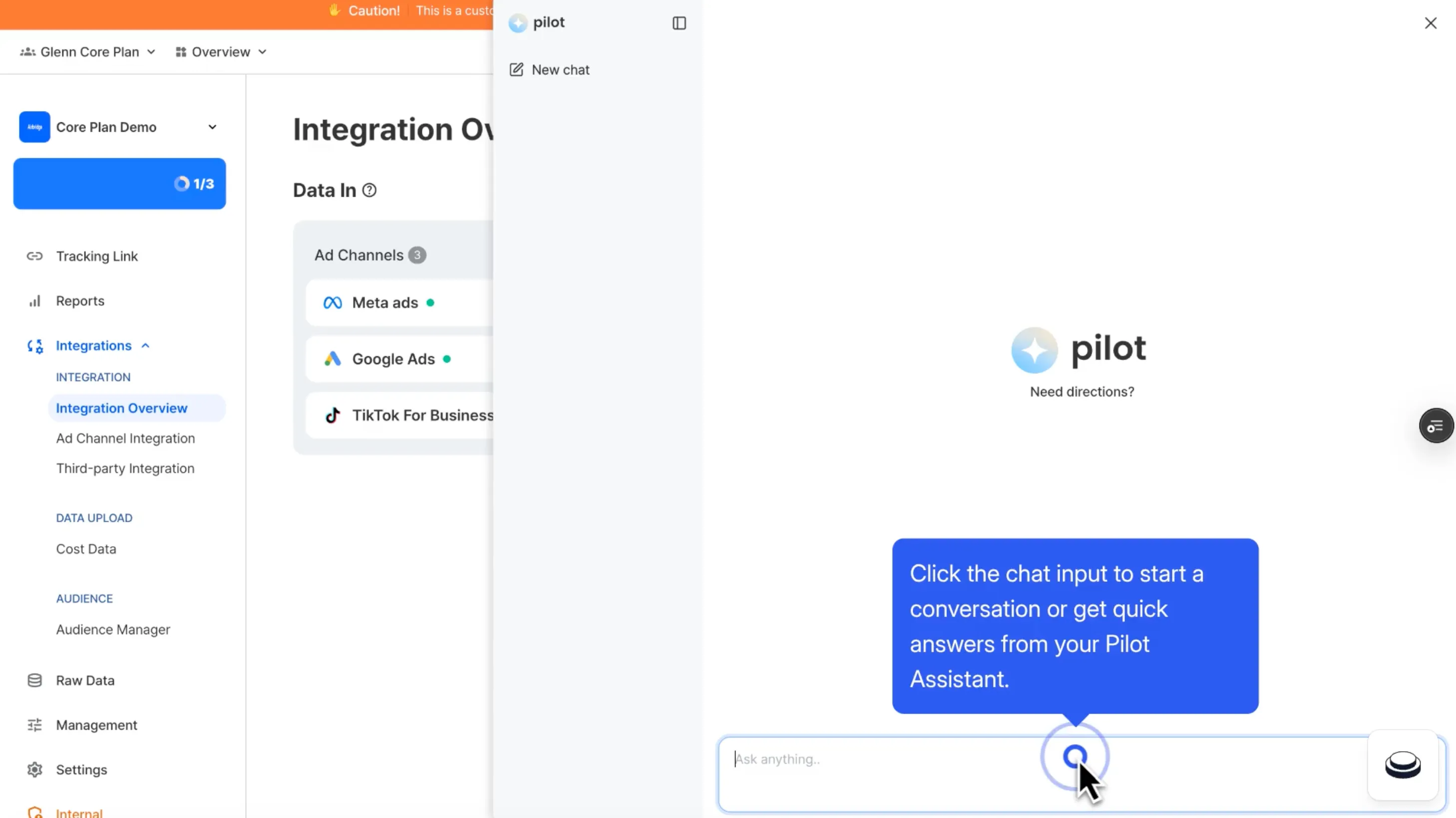 Just click and ask questions to Airbridge Pilot
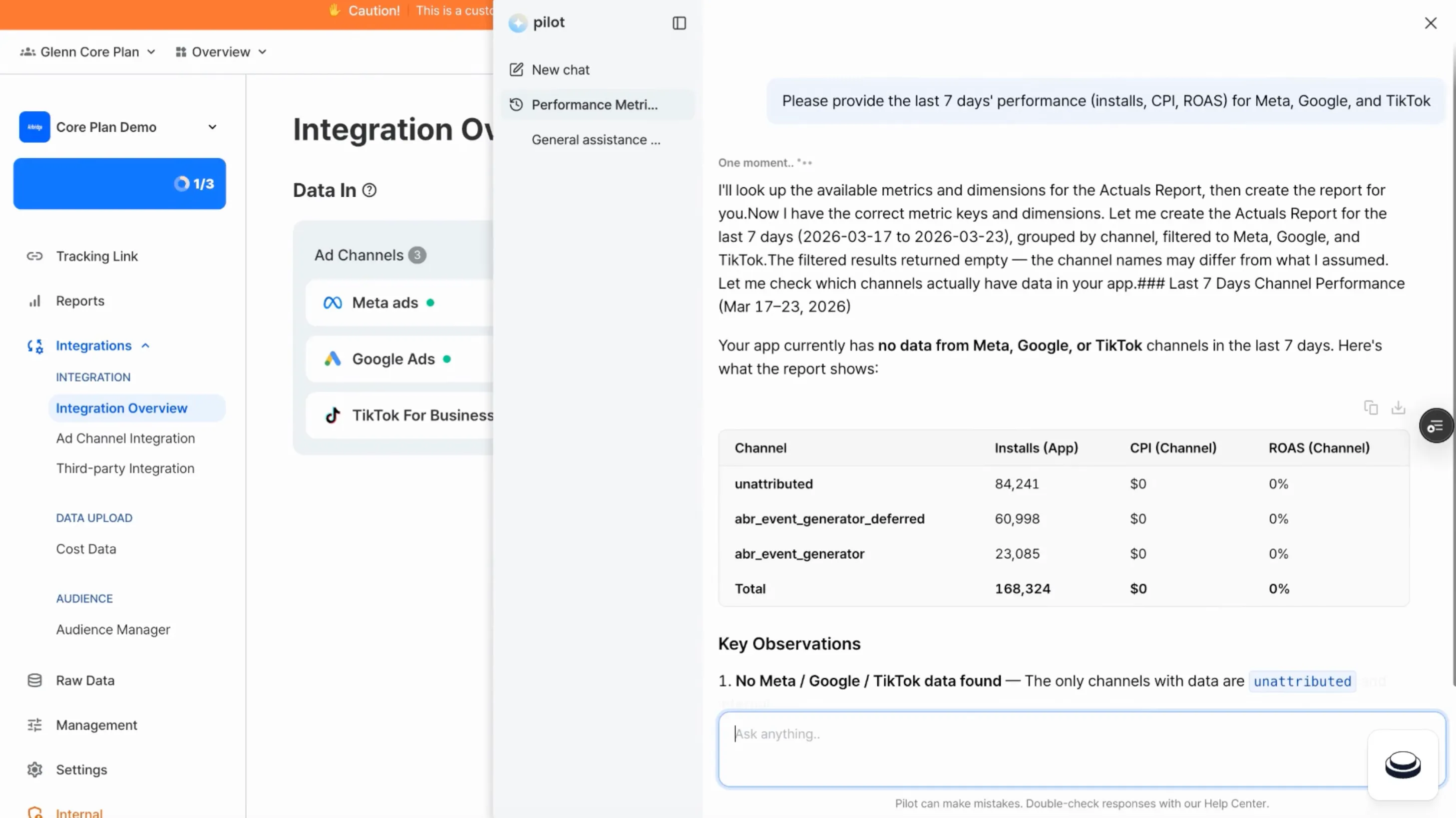 Then, Airbridge Pilot will answer and show you marketing dashboard you look for!
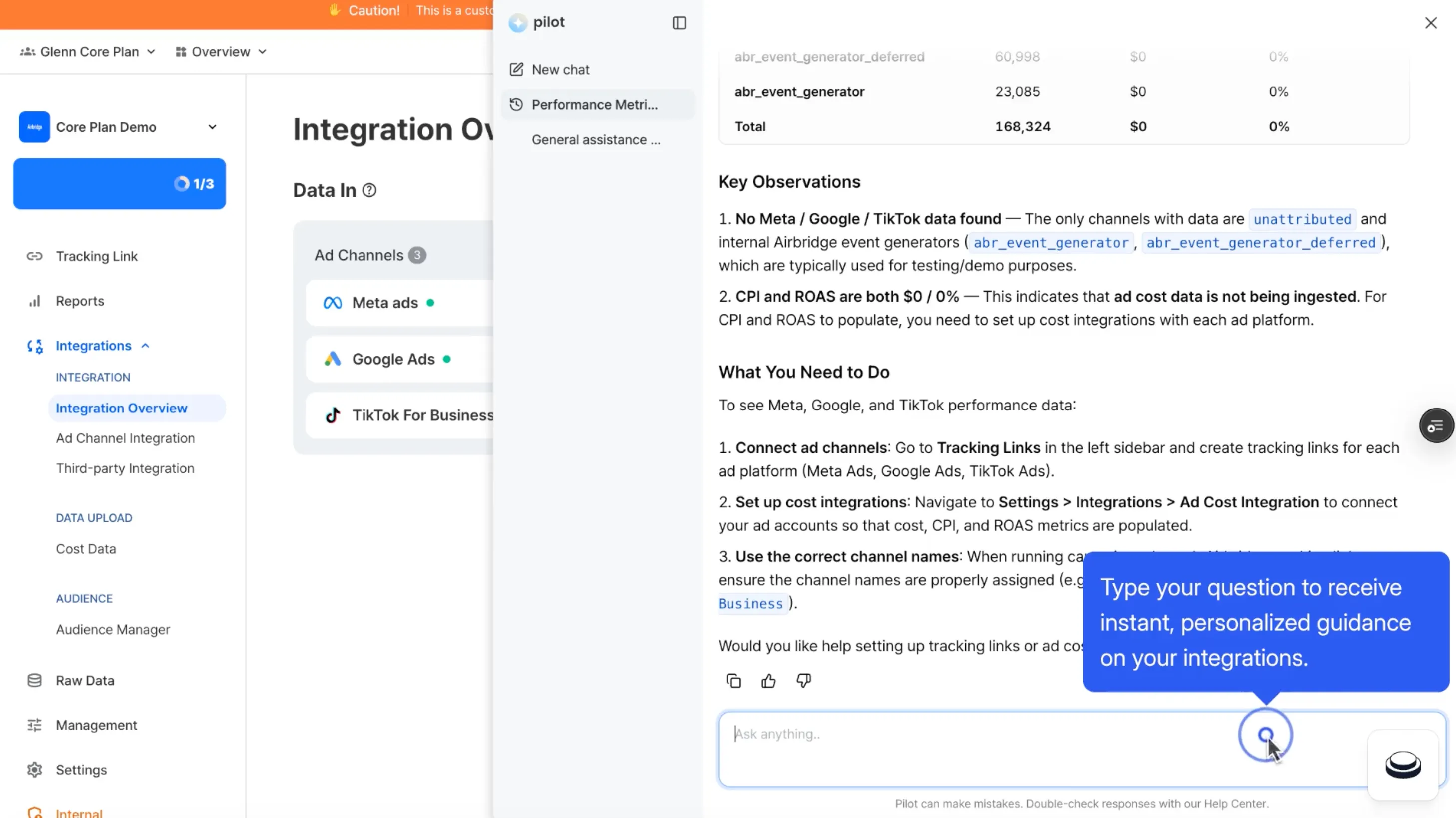 If you have any further questions, just ask!
1. How Airbridge Pilot Differs from a Standard Chatbot
Airbridge Pilot is not a keyword-matching or menu-driven chatbot. It is a conversational AI agent, and you interact with it the same way you would with any AI chat tool, asking questions in natural language and getting answers immediately. Whether it is tracking links, reports, Attribution rules, or iOS SKAN, just click Pilot and ask.
It also supports multi-turn conversation, meaning it remembers the context of your previous messages and carries the thread forward.
"How do I attach a deep link to a tracking link?" → After receiving an answer → "And what happens on iOS if the app isn't installed?"
2. Airbridge Pilot Key Features
- No usage limits — Ask as many questions as you need, whenever you need to
- Available on all plans — Every Airbridge customer has access regardless of plan tier
- Respond in your language — Ask in Korean, get an answer in Korean. Ask in English, get an answer in English
- Help Center-backed responses — Answers are grounded in official documentation written directly by the Airbridge team
Note: Like any AI, Airbridge Pilot can occasionally produce inaccurate responses. For anything involving critical settings or policies, we recommend cross-checking with the official Airbridge Help Center.
Onboarding Pilot: SDK Installation Guided by AI
"No more fumbling through docs alone."
Every app marketing setup starts with SDK installation. And while it sounds straightforward, it rarely is.
Installation steps differ by platform. You have to cross-reference documentation while navigating your development environment. And if you need a developer to handle the technical side, progress stalls until they are available. It is one of the most common points where onboarding slows down or stops entirely.
Onboarding Pilot guides you through the entire process via conversational AI. If anything is unclear along the way, just ask. Instead of reading through documentation, you follow along with the assistant and by the end of the conversation, installation is complete.
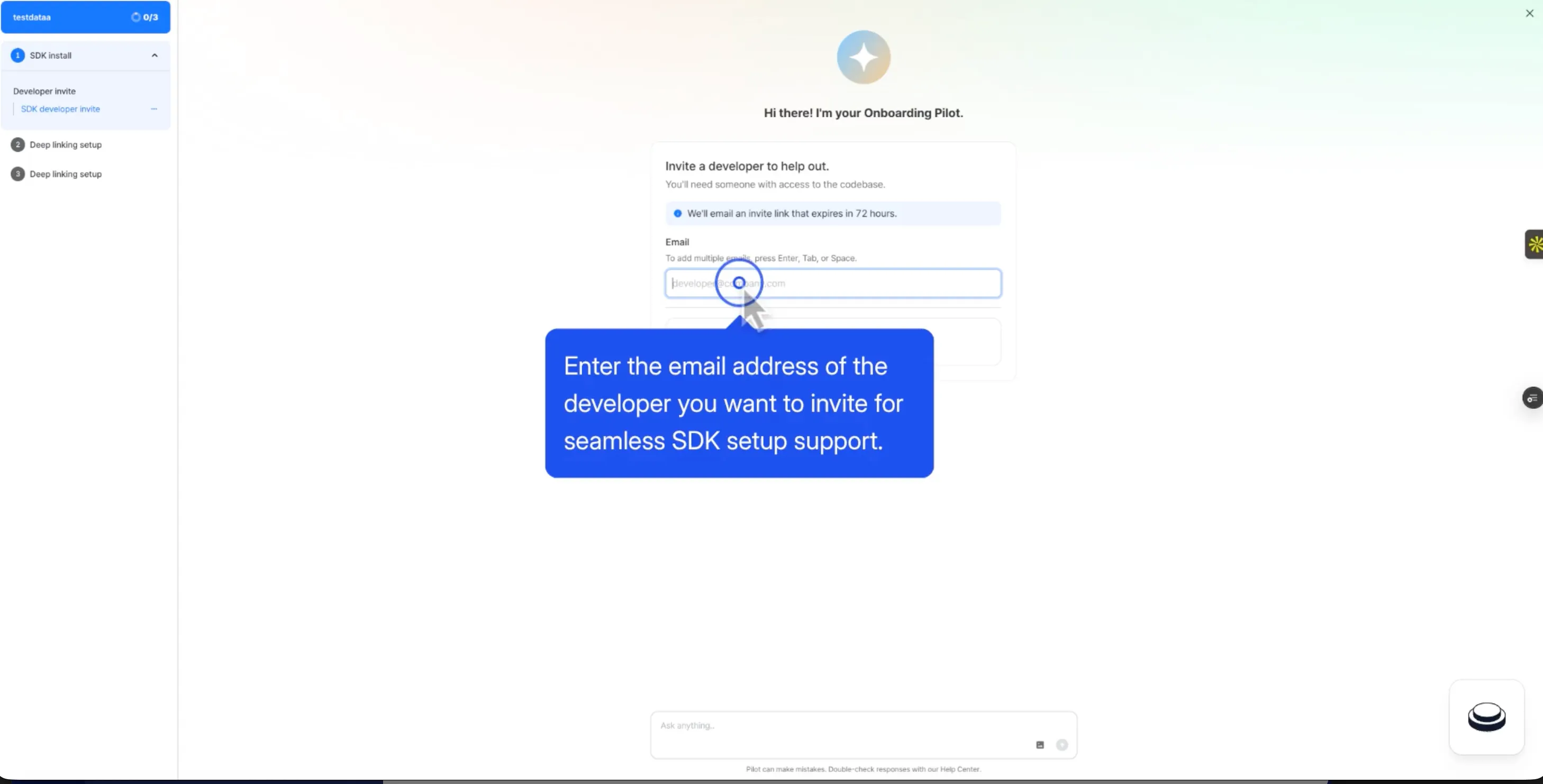 To start with Onboarding Pilot, you need to enter the email first.
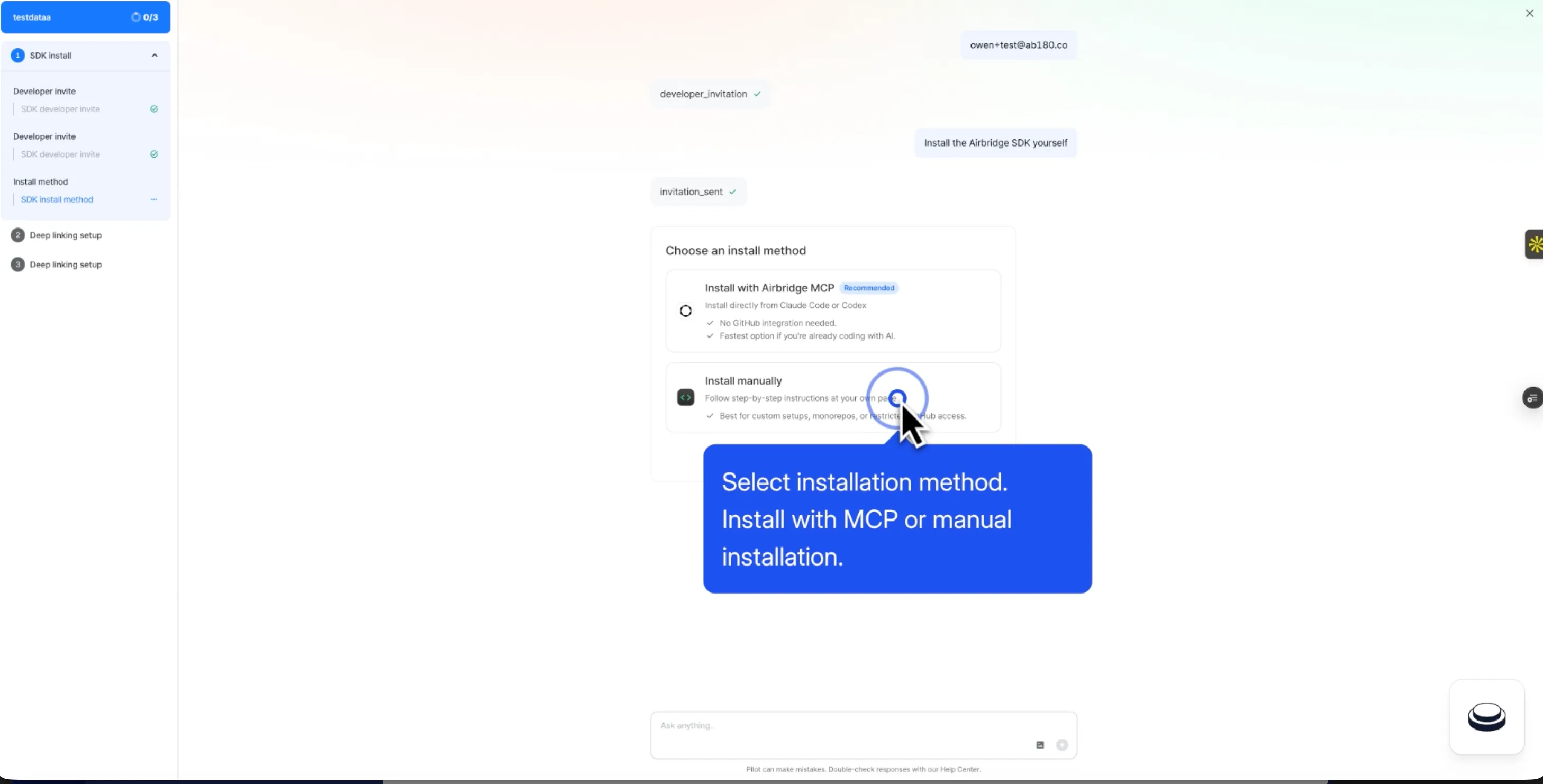 Select installation method. If you want, you can install with Airbridge MCP!(Recommneded)
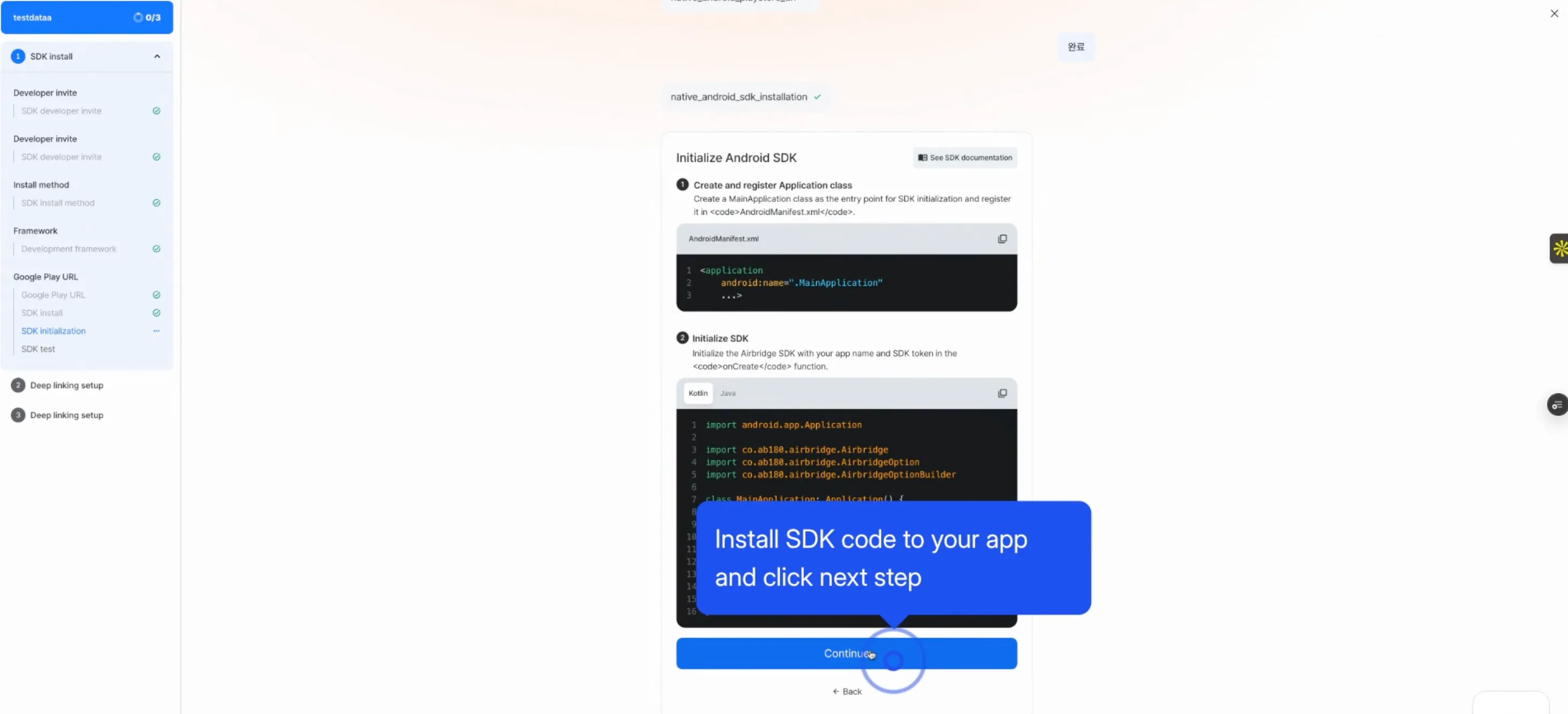 Just follow the instruction with Onboarding Pilot
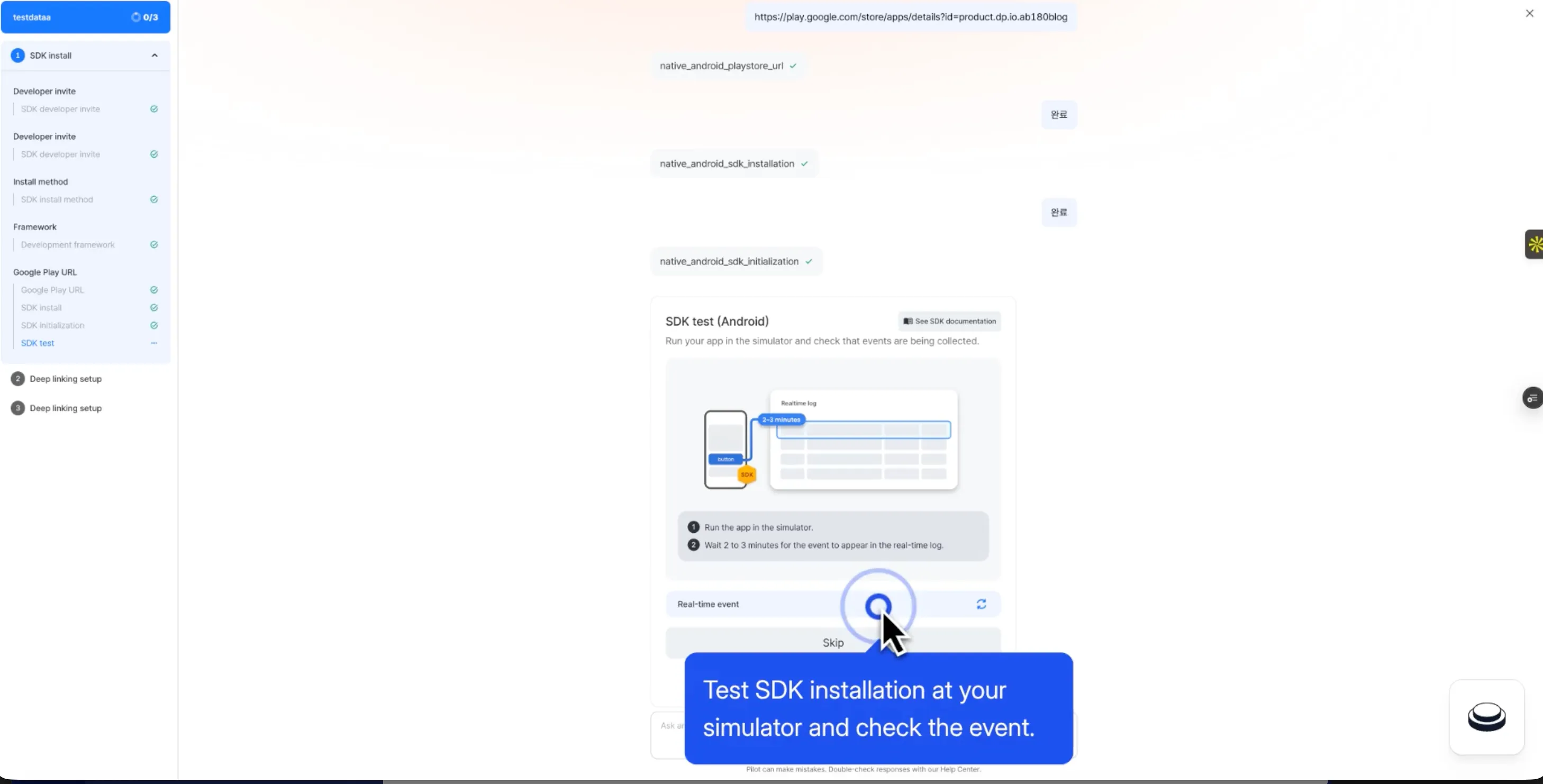 After installation, you can test SDK installation at your simulator right away!
How SDK Installation Works with Onboarding Pilot
- Who's installing? → Install yourself or invite a developer to join
- Which installation method? → MCP-assisted or manual installation
- What's your environment? → Select from Android, iOS, React Native, Flutter, or Expo and receive a tailored guide for your platform
- Did it work? → Real-time log verification automatically confirms whether data is being received correctly
- Activation checklist → Three key milestones are verified automatically:
- App install event received
- Tracking link created
- Deep link open event received
Onboarding Pilot handles guidance and verification, and it does not deploy code directly. Final code implementation is always carried out by a developer.
Want to see how Airbridge AI works with your data?
Get hands-on with Airbridge and see real results.
Try It Free →Airbridge MCP: Query Your Airbridge Data Directly from the AI Tools You Use
"No more opening the dashboard every single time."
A marketer's day is built on context-switching. You are writing a brief, you need a campaign metric, you jump to the dashboard, find the number, then navigate back. The more this happens, the more your context breaks down and the slower your work gets.
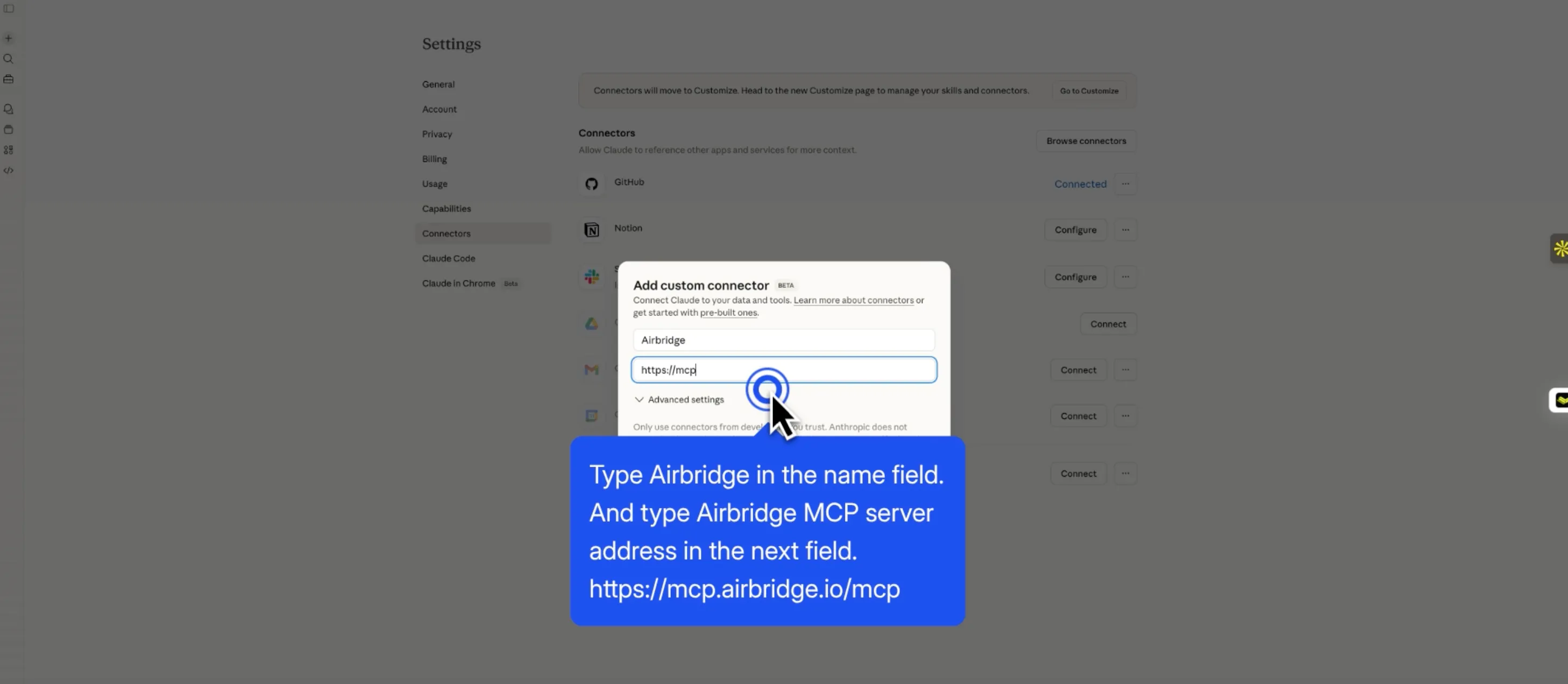 If you want to try Airbridge MCP, you have to use custom conncetor for now.
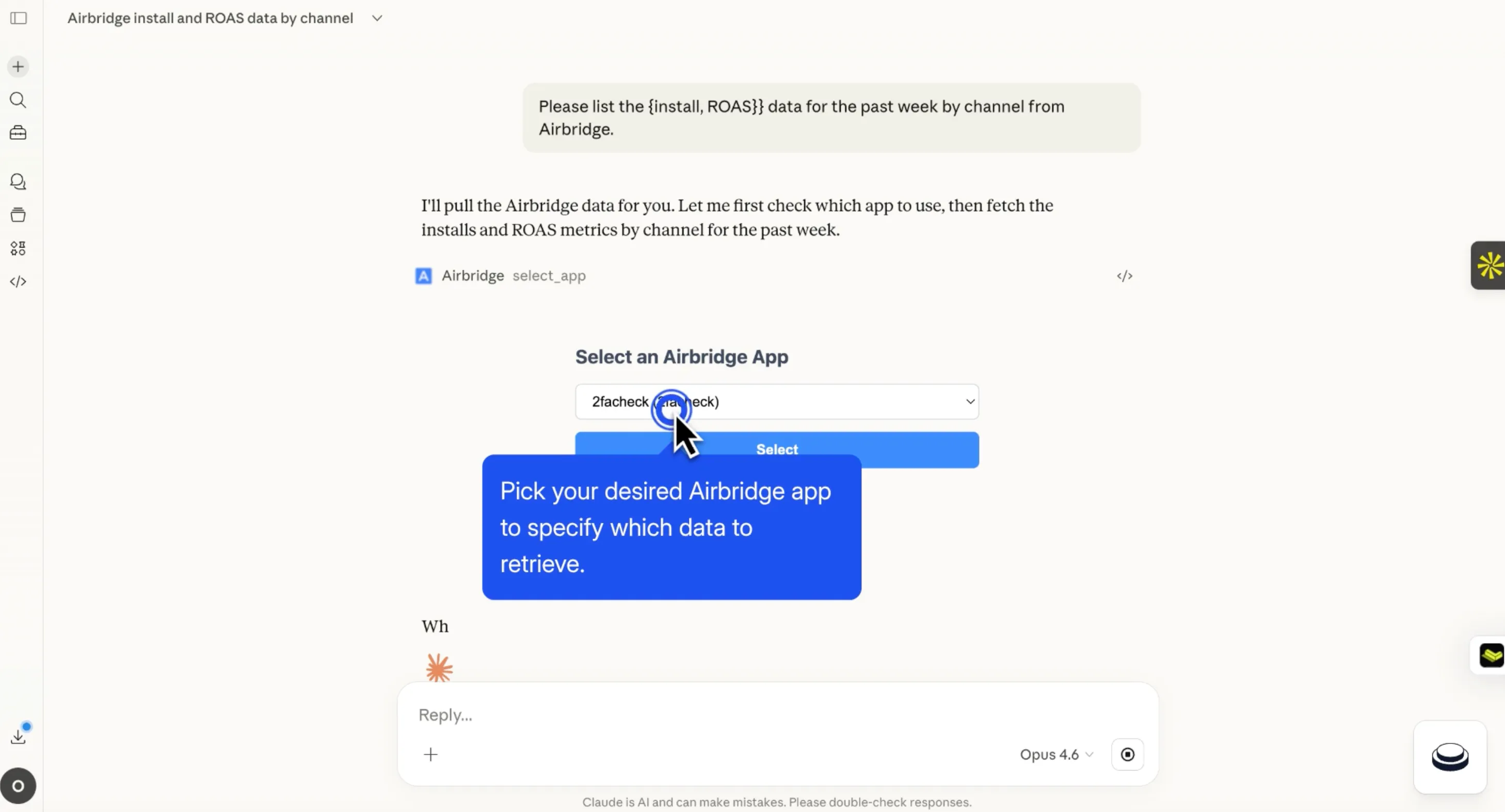 Once you set up MCP, chat with your AI tools and pick Airbridge apps you desired.
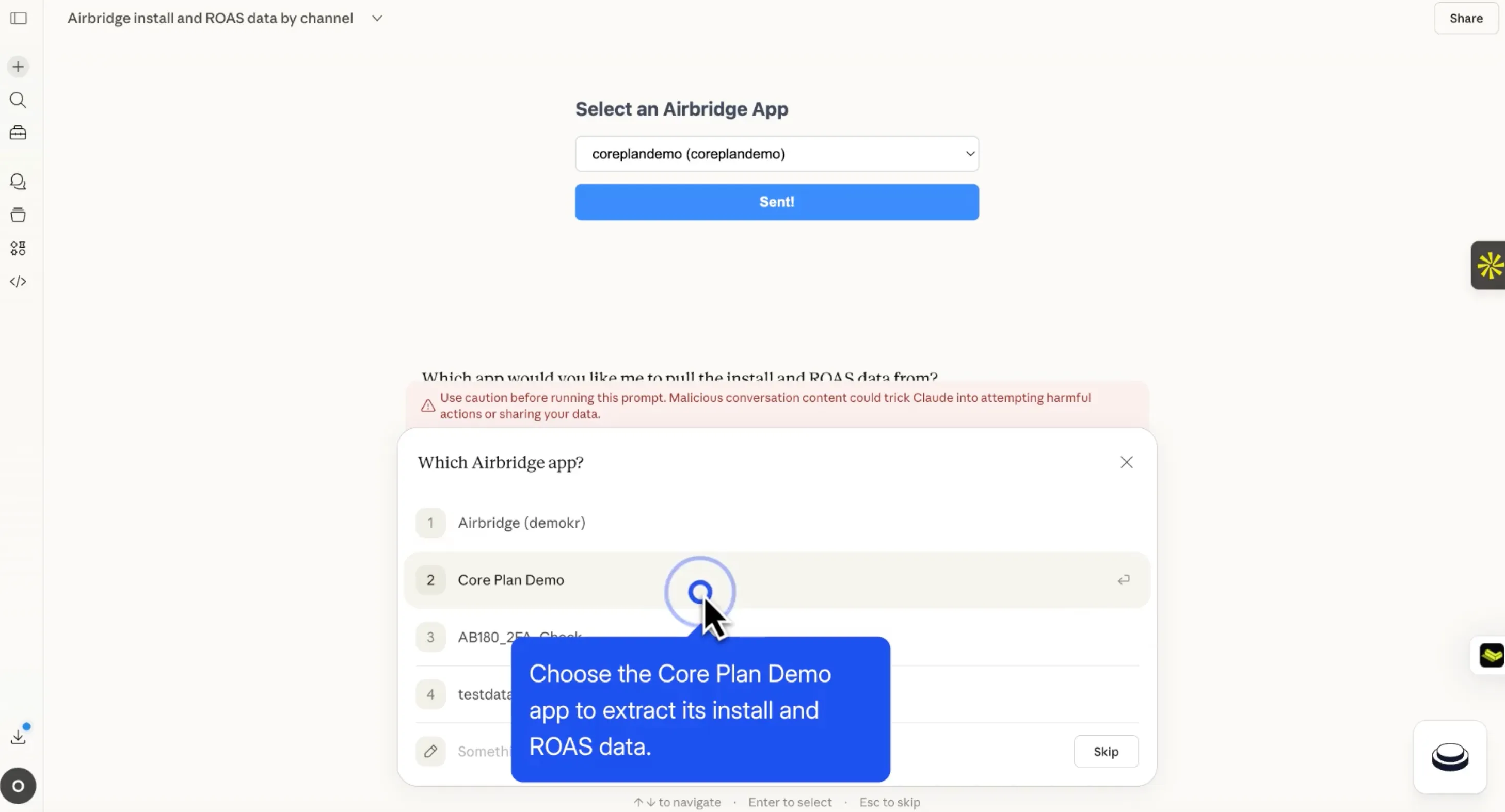 Once you set up MCP, chat with your AI tools and pick Airbridge apps you desired.
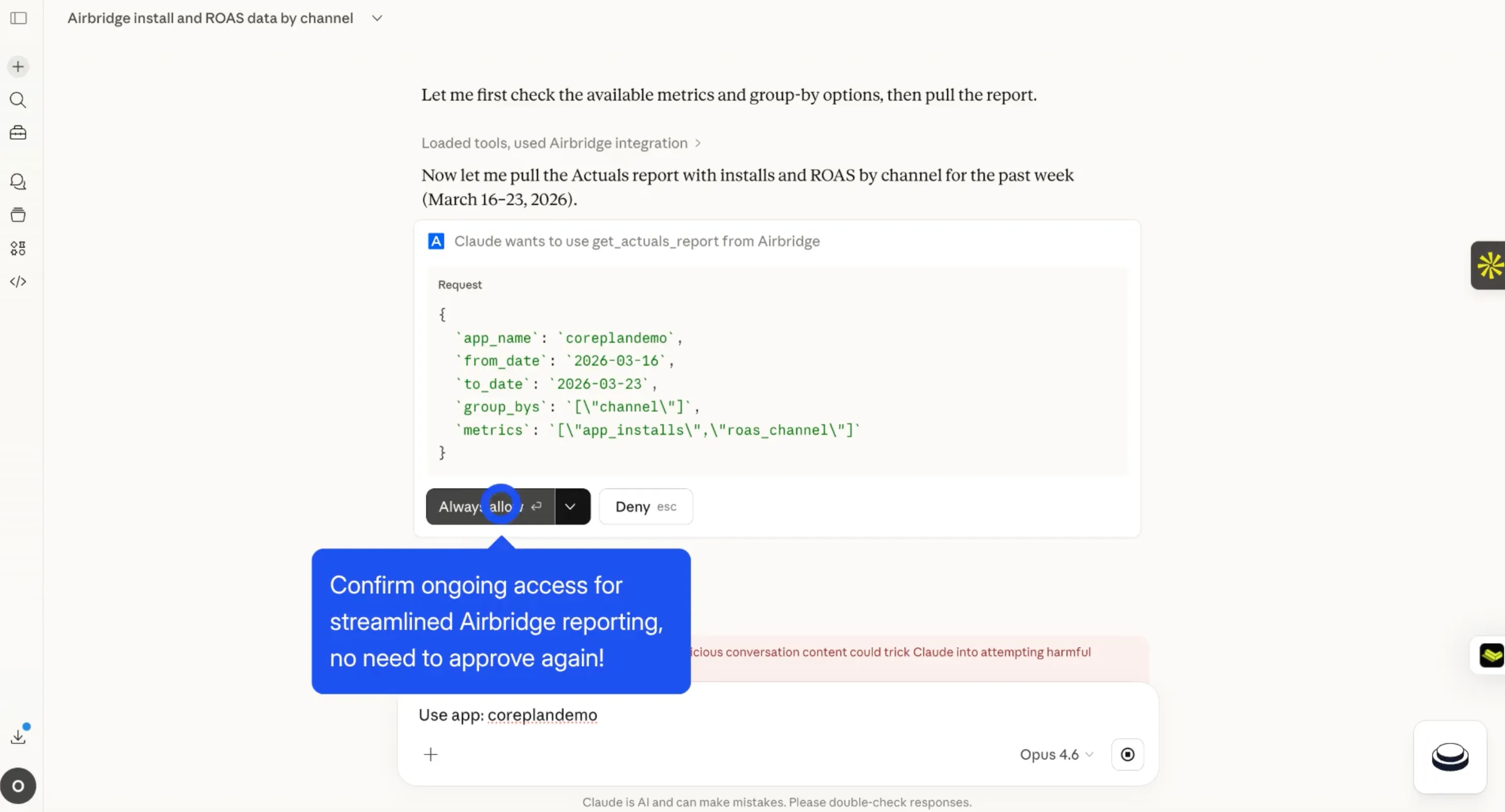 Once you confirm it, you don't need to apporve again!
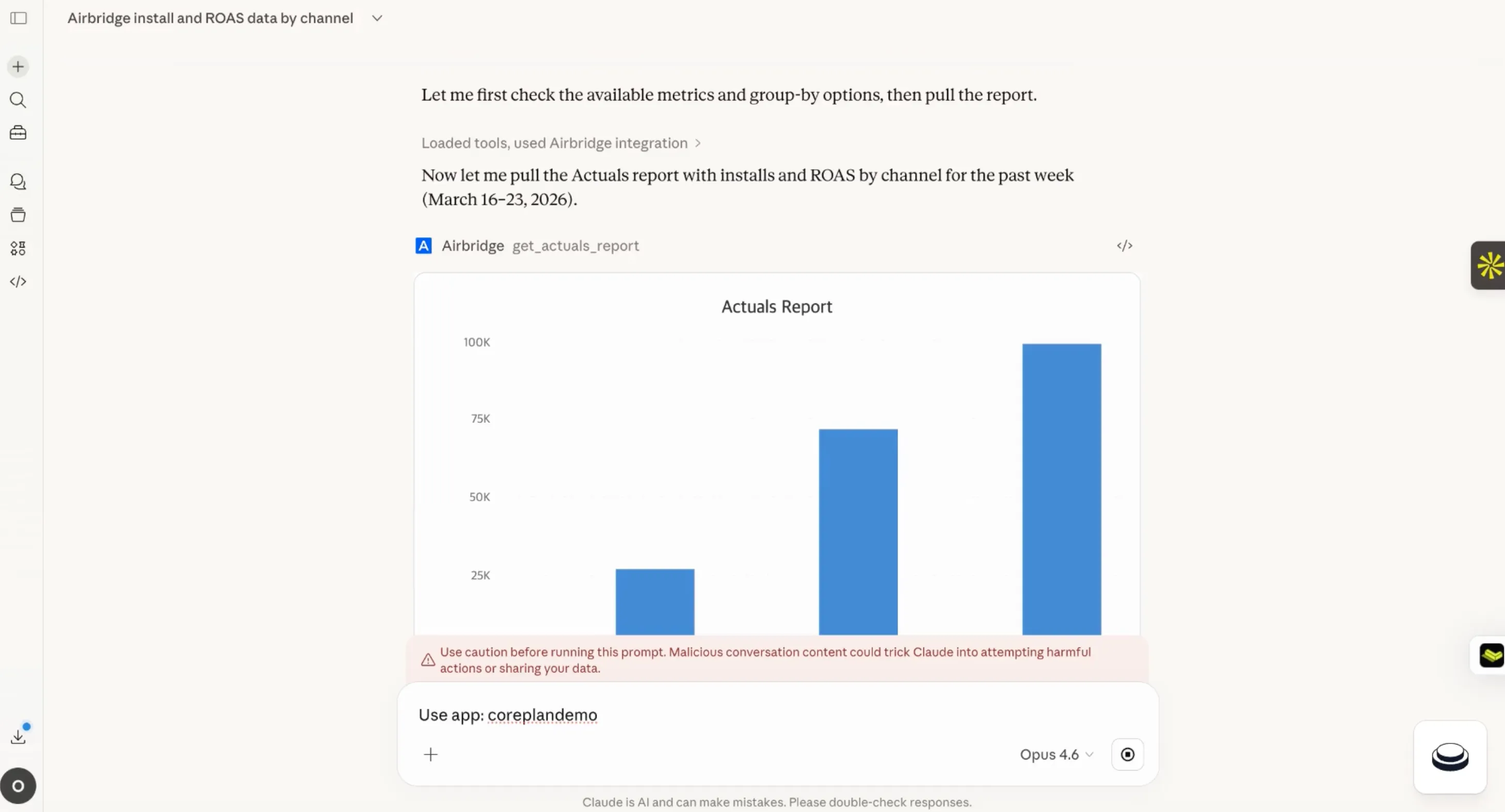 Then, you will see the data on your AI tools right away.
Airbridge MCP connects Airbridge to AI tools like Claude and ChatGPT, so you can retrieve data through natural language without ever leaving your workspace. Just ask, and the data comes to you.
"Show me last week's ROAS by channel." "How has retention trended this month?" "What were yesterday's Active Users for the iOS campaign?"
No extra tabs. No digging through report menus. Ask AI and get your answer immediately.
1. What Can You Query with Airbridge MCP?
The current beta version supports:
- Actuals, Retention, Revenue, and Active Users reports
- App settings
- Tracking link data
- OAuth authentication
- RBAC (Role-Based Access Control) integration
Additional capabilities, including tracking link creation and editing, audience queries, chart visualization, multi-app queries, and workflow automation, are planned for the full release in April.
2. How to Connect Airbridge MCP
On Claude Desktop, go to Settings → Connectors → Custom Connectors and enter the following:
- Name: Airbridge
- URL: https://mcp.airbridge.io/mcp
On Claude Code CLI:
- claude mcp add --transport http airbridge https://mcp.airbridge.io/mcp
For detailed setup instructions, visit the Airbridge Help Center.
3. Airbridge MCP Is Especially Useful If You:
- Spend more of your day inside AI tools than inside a dashboard
- Regularly field data requests from others on your team
- Need to monitor multiple campaigns simultaneously
Enterprise-Grade Security Built Into Airbridge AI
Data security is likely your first concern when adopting any AI feature. Every piece of data within Airbridge, including everything accessed through Airbridge MCP and Airbridge AI, is governed by six core principles:
- No Storage: Queried data is never stored on our servers
- No Training: Your data is never used to train AI models
- No Sharing: Data is never shared with third parties
- PII Blocking: Personal identifiers, including Device IDs, IPs, and emails, are blocked from reaching AI systems entirely
- RBAC Inheritance: Your existing Airbridge account permissions apply in full to all AI features
- Global Compliance: Fully compliant with GDPR, CCPA, and PIPA
Get Started with Airbridge AI Now
We are moving into an era where data no longer waits for you to find it. It comes to you.
Query data instantly with Airbridge MCP. Get answers on the spot with Airbridge Pilot. Walk through SDK setup with Onboarding Pilot. You do not need to know the dashboard inside out, and you do not need to be familiar with every feature to get value right away. With Airbridge AI, even the most complex tasks can be handled quickly and efficiently.
While your competitors are still building last week's report, you are already executing on your next move. The teams that use data faster move faster. Start accelerating yours with Airbridge AI today.
FAQ with Airbridge AI
Q. Which AI tools support Airbridge MCP?
Any environment that supports MCP. Claude Desktop, Claude Code, Cursor, and Codex CLI are the most common. ChatGPT integration is also on the roadmap.
Q. Will my company's data be exposed to AI systems when I use MCP?
No. Only the response to your query is returned. Data is never stored or used for training. PII access is blocked at a technical level.
Q. Which plans include Airbridge Pilot?
All of them. Every Airbridge customer can use Airbridge Pilot with no question limits.
Q. Can I install the SDK without a developer using Onboarding Pilot?
Onboarding Pilot guides the full process, but final code implementation requires a developer. Marketers can initiate the flow and bring in a developer when it is time to apply the code.
Q. What if Airbridge Pilot gives me an incorrect answer?
It is rare, but it can happen. For anything involving important settings or policies, we recommend verifying with the official Airbridge Help Center.